FREE14-day free trial · no card neededSee plans & pricing
Features Who it's for Pricing Help Contact Parent login Login Start free trial
Reports

75+ reports, ready when the principal asks

Pick a report, set the dates and filters — print it cleanly or take it to Excel. Each report has its own view and print right.

What you can do with Reports

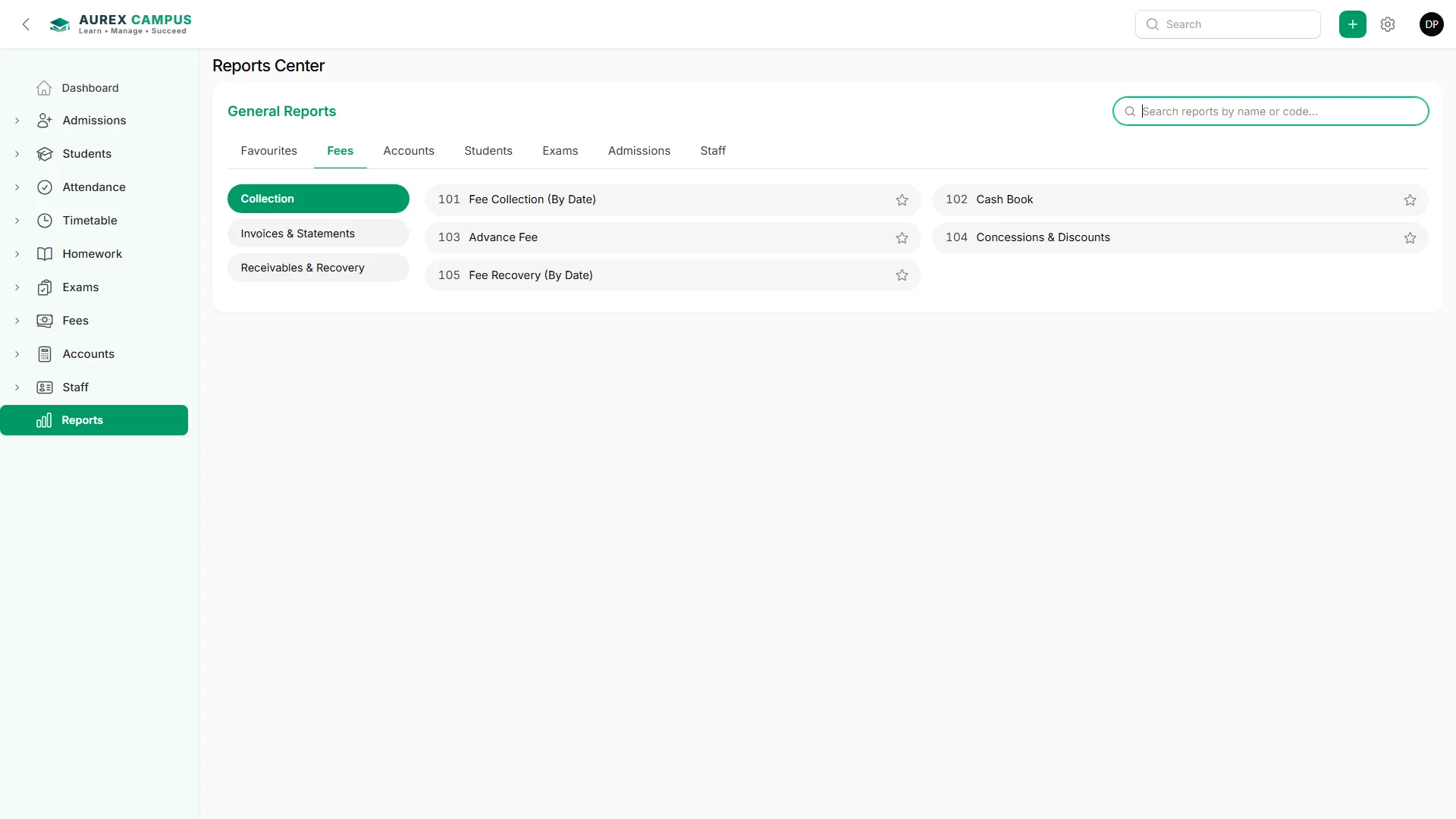
75+ ready reports for fees, attendance, exams, admissions, accounts, inventory and purchases — any date range, filters, print without the browser header, and Excel.

Fees

  • Collection, recovery, defaulters, aged debtors, student statements

Accounts

  • Cash book, ledgers, journal, IFRS financial statements

Students & exams

  • Student lists, attendance, results, date sheets, homework

Inventory & purchases

  • Stock, valuation, low stock, sales, purchases, suppliers, aged creditors

Every report

  • Any date range, or all dates
  • Filters for class, store, supplier, item …
  • Print on the same screen, no browser header
  • Excel download

Straight from Aurex Campus

A real reports screen / print, made by the software.
aurexcampus.com/app
Reports in Aurex Campus

How it works

Three steps — the rest is done for you.

1

Pick a report

From the Reports centre.

2

Set the filters

Dates, class, store …

3

Print or Excel

Clean print or a spreadsheet.

Questions about Reports

Can I give a report to only some staff?

Yes — each report has its own rights.

Can I get it in Excel?

Yes, every report.

Does the print show the website address?

No — prints are clean, without the browser header.

Works together with

Try Reports free for 14 days

Every feature, no card needed — or talk to us first.

Start free trial Contact us